
is it possible to cross fade between two jit.gl.models?

I just found out that I could import point clouds into max 9 using jit.gl.model, which is really nice, and now I wonder if it is possible to cross fade between two point clouds?
I couldn´t find a clear/recent answer in the forums.

I found this example (morphing between two models), or that one (morphing between an animated model and noise), or this one (morphing between two drawgroups of the same model).
Built-in max, you also have Help > Examples > jitter-examples > render >geometry > jit.gl.gridshape-morph. It is with gridshapes but will work with jit.gl.model with matrixoutput attribute enabled.
But beware: unless both of your point clouds have their points geometrically ordered in the same way (like from top front left to bottom back right), the morphing will just look "random", since each point will move to a totally different position, not the closest one, if that makes sense. Also, you will probably need to make sure both of your point clouds have the same number of points if you don't want some points to appear from or vanish to nowhere.
In essence, using jit.slide:
using jit.xfade:

here's mine, using the pointcloud tab from the jit.gl.mesh help patch and the sriracha bottle
jit.scanwrap is doing some heavy lifting here.
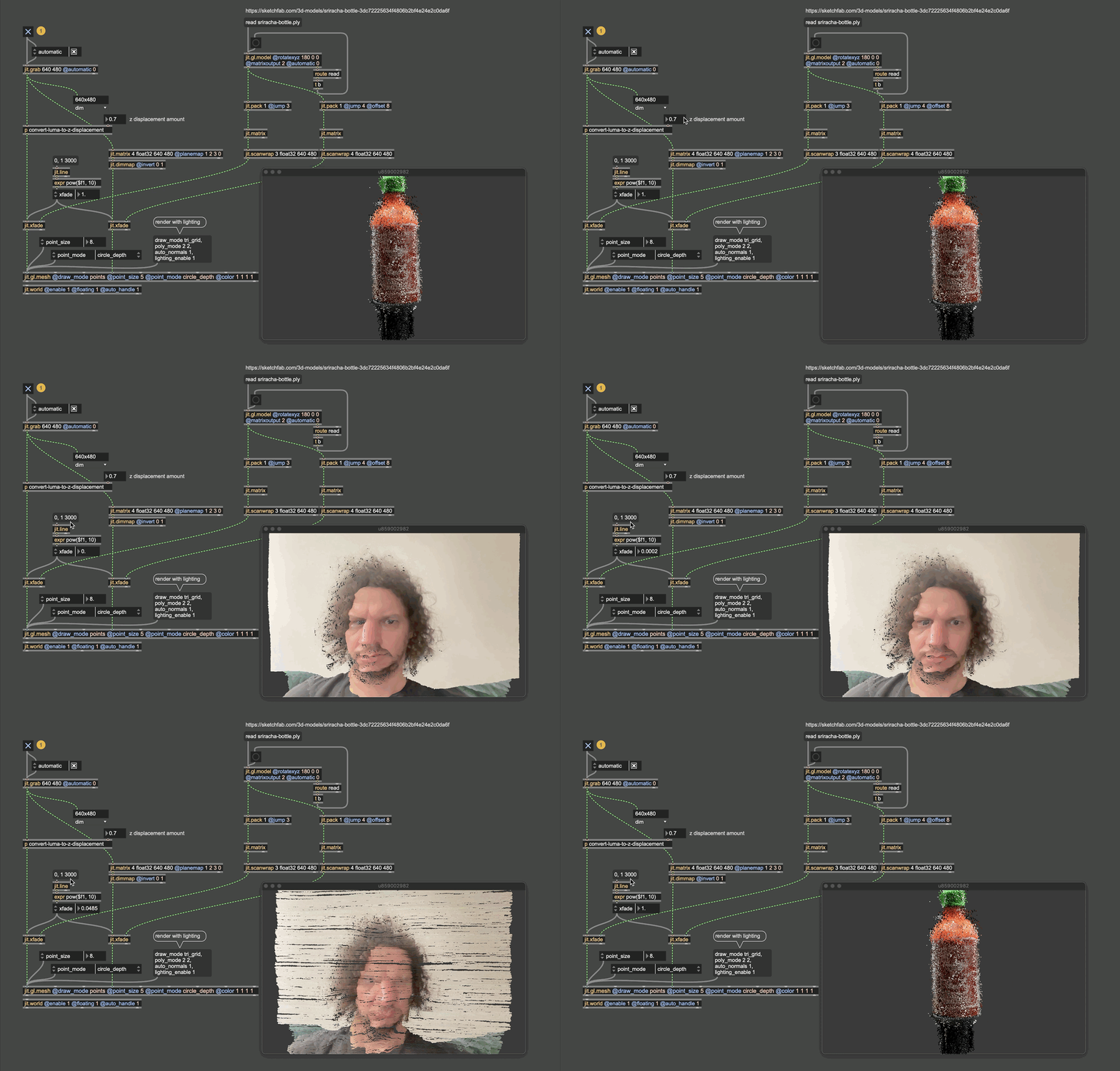
thank you both!
I guess I was aiming for something simpler (which might not be simpler), but this is me coming from the 2d video world: Is it possible to just fade out a model by changing the transparency/color of the material? I am not so interested in the morph approach.
It seems the matrix operations both degrades the quality and slows everything down on my M1 laptop.

The simplest approach would be to render the models to 2 separate textures and cross-fade between them:
great, thanks! This seems to do exactly what I want and the quality is pretty good.